Statute of limitations — calculated with tolling, discovery rules, and notice requirements
Enter the incident date, jurisdiction, and claim type. AI.Law calculates the filing deadline with the discovery rule, minority tolling, mental incapacity tolling, government tort claims act notice periods, and borrowing statutes applied. Results cite the applicable statutes. Deadlines sync to your calendar with 90/60/30/7-day warnings.
Included in Free Forever — practice management at $0. Add paid AI seats when you need them. See pricing
How SOL Calculator works on a live matter
SOL Calculator is the AI.Law tool civil litigators use for time, billing, and deadline management. Calculating a straightforward SOL takes 30 seconds. But when you add tolling, discovery rules, government notice requirements, and cross-jurisdictional borrowing statutes, the research takes an hour — and the stakes for getting it wrong are catastrophic. AI.Law returns the calculated deadline instantly with every applicable rule applied and every statute cited.
On a live matter it runs in 4 steps: (1) Enter case details, (2) AI calculates with all rules applied, (3) Review results with statute citations, (4) Deadlines tracked automatically. Input the incident date, jurisdiction, claim type, and client details — age at time of incident, government entity involvement, date of discovery if applicable.
A two-year personal injury SOL sounds simple until the plaintiff was 16 at the time of the injury (minority tolling), the defendant is a government entity (ante-litem notice required 6 months before suit), the injury wasn't discovered until years later (discovery rule), or the case involves claims in a state that borrows the shorter SOL from another jurisdiction (borrowing statute). AI.Law applies every applicable rule for your jurisdiction and claim type — including the ones you might not have thought to check. Minority tolling calculated automatically — AI determines when the minor turns 18 and applies the jurisdiction-specific rule for when the SOL begins to run.
Enter incident date, jurisdiction, client age, and claim type — get the deadline with tolling applied instantly. Simple input: date, state, claim type, client details — AI applies every applicable rule.
What you get from SOL Calculator
Every SOL Calculator run is grounded in your uploaded matter — not a blank chat prompt. Here is what attorneys use on real cases:
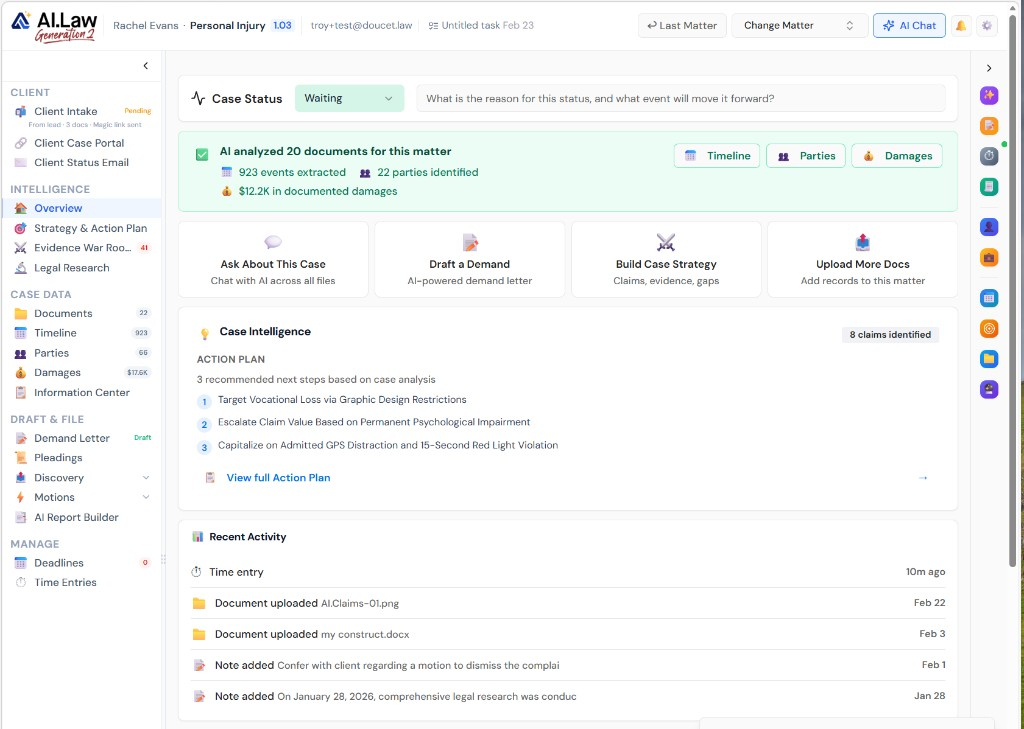
- Minority tolling calculated automatically — AI determines when the minor turns 18 and applies the jurisdiction-specific rule for when the SOL begins to run
- Discovery rule applied for medical malpractice, fraud, and latent injury claims — with jurisdiction-specific variations in how the rule is triggered
- Government tort claims act notice requirements flagged with separate ante-litem notice deadlines that must be met before the filing deadline
- Multiple claim types calculated simultaneously — negligence, breach of contract, fraud, statutory claims — each with its own SOL and tolling rules in the same case
- Enter incident date, jurisdiction, client age, and claim type — get the deadline with tolling applied instantly
- No manual research into whether your jurisdiction applies the discovery rule to this claim type
- Simple input: date, state, claim type, client details — AI applies every applicable rule
- Flags tolling doctrines and exceptions you might not have known applied to this claim type in this jurisdiction
How It Works
Get started in minutes. No training required.
1. Enter case details
Input the incident date, jurisdiction, claim type, and client details — age at time of incident, government entity involvement, date of discovery if applicable.
2. AI calculates with all rules applied
AI.Law applies the base SOL, tolling doctrines (minority, incapacity, absence, discovery rule), government notice requirements, and borrowing statutes to calculate the actual deadline.
3. Review results with statute citations
See each calculated deadline with the applicable statutes cited, tolling rules applied, notice requirements flagged, and any exceptions noted.
4. Deadlines tracked automatically
Every deadline syncs to your matter calendar with escalating 90/60/30/7-day warnings. SOL alerts appear on your dashboard daily briefing.
See SOL Calculator in a real matter
Not a mockup — this is the actual AI.Law workspace attorneys use on live cases.
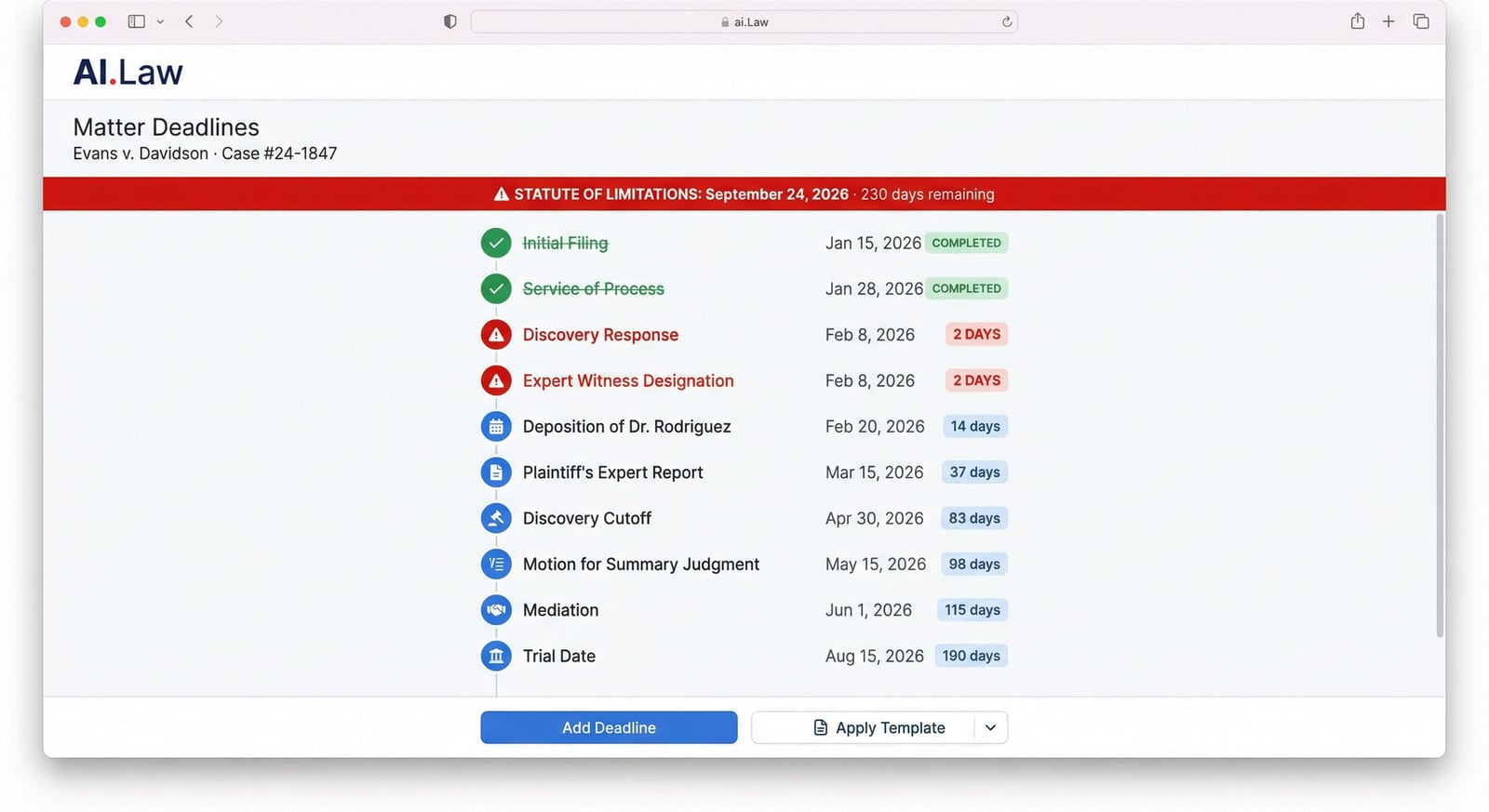
Real input → real deadline
You enter: Ohio · bodily injury · incident 3/15/2023 · minor plaintiff DOB 8/1/2010 · no government defendant
AI.Law returns: Last day to file: 8/1/2030 (R.C. 2305.10 — two years from age 18). Minority tolling applied. Calendar sync with 90/60/30/7-day warnings.
Also flags ante-litem notice, discovery-rule triggers, and borrowing statutes when your facts require them.
Ohio & multi-state SOL questions attorneys ask
Does Ohio apply the discovery rule to medical malpractice claims?
Ohio recognizes a discovery rule for medical malpractice — the limitations period can run from when the injury was discovered or should have been discovered with reasonable diligence, subject to the statute of repose. AI.Law applies Ohio-specific malpractice discovery and repose rules when you select medical malpractice and enter a date-of-discovery if it differs from the incident date.
When does minority tolling start running in Ohio personal injury cases?
For most Ohio tort claims, the statute of limitations is tolled during minority and begins when the plaintiff turns 18. AI.Law calculates from the date of majority for bodily injury, wrongful death, and other claim types where R.C. 2305.16 applies — and shows the cited statute in the result.
What if my client was injured by a city-owned vehicle?
Ohio political-subdivision claims often require written notice of claim within a short window before suit. AI.Law flags government-entity involvement separately from the filing deadline so you see both the notice deadline and the suit deadline on the matter calendar.
More Detail
Every tolling doctrine, notice requirement, and jurisdictional exception — applied automatically
A two-year personal injury SOL sounds simple until the plaintiff was 16 at the time of the injury (minority tolling), the defendant is a government entity (ante-litem notice required 6 months before suit), the injury wasn't discovered until years later (discovery rule), or the case involves claims in a state that borrows the shorter SOL from another jurisdiction (borrowing statute). AI.Law applies every applicable rule for your jurisdiction and claim type — including the ones you might not have thought to check.
- Minority tolling calculated automatically — AI determines when the minor turns 18 and applies the jurisdiction-specific rule for when the SOL begins to run
- Discovery rule applied for medical malpractice, fraud, and latent injury claims — with jurisdiction-specific variations in how the rule is triggered
- Government tort claims act notice requirements flagged with separate ante-litem notice deadlines that must be met before the filing deadline
- Multiple claim types calculated simultaneously — negligence, breach of contract, fraud, statutory claims — each with its own SOL and tolling rules in the same case
Faster
Instant results — including the tolling doctrines you would have had to research
Calculating a straightforward SOL takes 30 seconds. But when you add tolling, discovery rules, government notice requirements, and cross-jurisdictional borrowing statutes, the research takes an hour — and the stakes for getting it wrong are catastrophic. AI.Law returns the calculated deadline instantly with every applicable rule applied and every statute cited.
- Enter incident date, jurisdiction, client age, and claim type — get the deadline with tolling applied instantly
- No manual research into whether your jurisdiction applies the discovery rule to this claim type
- Government notice periods calculated separately — AI flags when the ante-litem notice must be sent, not just when the lawsuit must be filed
- Deadlines automatically sync to your case calendar the moment they are calculated — with escalating reminders
Easier
Enter the basics — AI.Law flags the complexity you might not have considered
You know the incident date and the claim type. AI.Law tells you not only the filing deadline, but also whether a government notice is required first, whether tolling applies, whether the discovery rule changes the calculation, and whether a borrowing statute might shorten your window. Every result includes citations to the applicable statutes so you can verify independently.
- Simple input: date, state, claim type, client details — AI applies every applicable rule
- Flags tolling doctrines and exceptions you might not have known applied to this claim type in this jurisdiction
- Results include citations to the specific statutes governing the SOL, tolling, and notice requirements
- Deadlines added to your matter calendar with multi-tier warnings at 90, 60, 30, and 7 days
More Money
The cost of a missed SOL is a malpractice claim — this tool is free on every plan
A missed statute of limitations is the number-one source of legal malpractice claims. There is no fix, no cure, and no excuse. AI.Law's SOL calculator is free on every plan — Solo, Firm, and Firm+ — because this calculation should never be behind a paywall, never skipped because of time pressure, and never left to mental math on a busy Friday afternoon.
- Eliminate the #1 source of legal malpractice claims — miscalculated or overlooked filing deadlines
- Free on every AI.Law plan — SOL calculations are too important to be a premium feature
- Calendar integration means deadlines are tracked from the moment of calculation — not when someone remembers to add them
- Escalating warnings at 90, 60, 30, and 7 days — with dashboard alerts and optional email notifications
Stop calculating SOL deadlines by hand — the stakes are too high
See what changes when AI handles the work instead.
| Area | The Old Way | With AI.Law |
|---|---|---|
| Calculation | Manually research the base SOL and calculate from incident date | Instant calculation with all applicable rules — tolling, discovery, notice — applied automatically |
| Tolling | Research whether minority, discovery rule, or incapacity tolling applies in this jurisdiction for this claim type | Every tolling doctrine applied automatically with statute citations for verification |
| Government claims | Remember to check for ante-litem notice and shortened filing deadlines | Government notice requirements flagged with separate deadlines for notice and filing |
| Tracking | Manually add deadline to calendar and hope someone sets reminders | Automatic calendar sync with escalating warnings at 90, 60, 30, and 7 days |
| Risk | Human error in a SOL calculation = malpractice claim with no defense | AI-calculated with statute citations — free on every plan because this should never be skipped |
Related tools for SOL Calculator
Same matter file, same uploads — keep working in this litigation workflow cluster.
- Sync calculated filing deadlines to the matter calendar — Deadline Tracking
- View SOL and court dates in the firm-wide calendar — Calendar
- Screen SOL at intake before signing the case — Lead CRM
- Draft the complaint before the calculated deadline — Lawsuit Drafting
Browse all Billing tools on the features hub, or see all features.
Free practice management. Pay only for AI you use.
Run your firm on Free Forever at $0 — CRM, calendar, billing, and document management for everyone. Add paid AI seats only for the people who need them, all on one plan for your firm: Core, Litigator, or Advanced.
- 11 tools free forever — no credit card required
- One plan for your firm — every paid seat on the same plan
- Cancel any paid seat anytime — no lock-in
- Annual billing: 12 months for the price of 11 on paid seats
- Free Forever practice management stays at $0
SOC 2 Type II Certified · Patented Technology · No AI Training on Your Data · You Own Your Data
Explore More
Branded client portal — communication, documents, and case updates in one place
Give your clients a professional, branded portal where they can view case updates, upload documents, communicate with your office, and track the progress of their matter. Free on every AI.Law plan — because client communication should not be a premium feature.
Get started with SOL Calculator
Open a free practice management account, or build an AI plan when you’re ready.
No credit card required.
Need a firm or enterprise plan? Talk to our team