Convert recordings to searchable text — depositions, hearings, client calls
Upload video or audio files and AI.Law converts them to searchable, timestamped transcripts. Deposition videos, client intake calls, hearing recordings, witness interviews, and expert consultations — all converted to text that feeds into AI analysis, deposition comparison, and case documents.
How Transcription works on a live matter
Transcription is the AI.Law tool civil litigators use for deposition and witness work. Court reporters take days or weeks to deliver official transcripts. AI.Law transcribes the video in minutes — giving you a searchable, AI-analyzable transcript the same day. When the official transcript arrives, you have already identified the key testimony and started your analysis.
On a live matter it runs in 4 steps: (1) Upload the recording, (2) AI transcribes with speaker ID, (3) Review and edit, (4) Use across your case. Upload audio or video files to your matter — deposition recordings, client calls, hearing audio, witness interviews.
A video deposition sits in your file as a black box — unsearchable, unquotable, and usable only by watching the entire recording. AI.Law converts it to a searchable transcript with speaker identification and timestamps, making the testimony immediately available for AI Associate queries, deposition analysis, cross-referencing, and trial preparation. The same applies to client calls, hearing recordings, expert consultations, and witness interviews. Video depositions converted to searchable transcripts with speaker identification — before the court reporter delivers the official transcript.
Deposition videos transcribed same-day — do not wait for the court reporter. Supports all common audio and video formats — MP3, MP4, WAV, MOV, and more. Each output cites the source pages in your matter so you can verify it before you file.
What you get from Transcription
Every Transcription run is grounded in your uploaded matter — not a blank chat prompt. Here is what attorneys use on real cases:
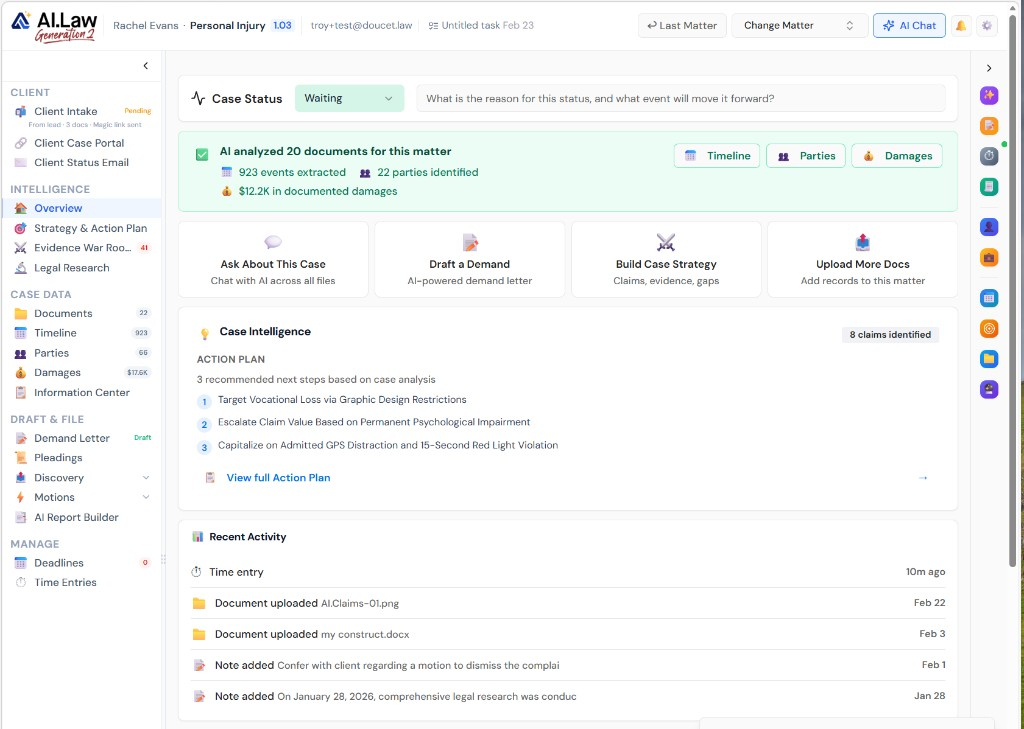
- Video depositions converted to searchable transcripts with speaker identification — before the court reporter delivers the official transcript
- Client intake calls and witness interviews transcribed and added to the case file for AI analysis
- Hearing recordings converted to text for review, analysis, and integration with case documents
- Timestamps preserved so you can jump to the exact moment in the recording from any transcript excerpt
- Deposition videos transcribed same-day — do not wait for the court reporter
- Client calls transcribed automatically so intake details are captured in the case file
- Supports all common audio and video formats — MP3, MP4, WAV, MOV, and more
- Speaker identification separates attorneys, witnesses, and the court
How It Works
Get started in minutes. No training required.
1. Upload the recording
Upload audio or video files to your matter — deposition recordings, client calls, hearing audio, witness interviews.
2. AI transcribes with speaker ID
AI converts the recording to text with speaker identification, timestamps, and proper formatting.
3. Review and edit
Review the transcript, correct any misidentifications, and verify key passages against the recording.
4. Use across your case
The transcript is searchable, analyzable by AI tools, and available for deposition analysis, trial prep, and document review.
More Detail
Searchable transcripts with timestamps, speaker identification, and AI analysis
A video deposition sits in your file as a black box — unsearchable, unquotable, and usable only by watching the entire recording. AI.Law converts it to a searchable transcript with speaker identification and timestamps, making the testimony immediately available for AI Associate queries, deposition analysis, cross-referencing, and trial preparation. The same applies to client calls, hearing recordings, expert consultations, and witness interviews.
- Video depositions converted to searchable transcripts with speaker identification — before the court reporter delivers the official transcript
- Client intake calls and witness interviews transcribed and added to the case file for AI analysis
- Hearing recordings converted to text for review, analysis, and integration with case documents
- Timestamps preserved so you can jump to the exact moment in the recording from any transcript excerpt
Faster
A 4-hour deposition video transcribed in minutes — searchable immediately
Court reporters take days or weeks to deliver official transcripts. AI.Law transcribes the video in minutes — giving you a searchable, AI-analyzable transcript the same day. When the official transcript arrives, you have already identified the key testimony and started your analysis.
- Deposition videos transcribed same-day — do not wait for the court reporter
- Client calls transcribed automatically so intake details are captured in the case file
- Multiple recordings processed simultaneously — upload an entire batch of hearing recordings
- Transcripts immediately available for AI Associate queries and deposition analysis tools
Easier
Upload the recording — AI handles the rest
Upload any audio or video file. AI.Law handles the conversion — speaker identification, timestamp generation, and text extraction. The transcript becomes part of your case file, searchable and analyzable like any other document.
- Supports all common audio and video formats — MP3, MP4, WAV, MOV, and more
- Speaker identification separates attorneys, witnesses, and the court
- Transcripts indexed and searchable alongside all other documents in the matter
- AI analysis tools — Associate, Deposition Analysis, Issue Spotter — can immediately work with transcribed content
More Money
Recordings become usable case documents — not files that sit unwatched
Most recorded depositions are watched once and then sit in the file. Transcription makes them searchable, quotable, and analyzable — turning hours of video into a document that powers your AI tools, your deposition analysis, and your trial preparation.
- Get ahead of opposing counsel by analyzing deposition video testimony the same day
- Client call transcription ensures no detail is lost from intake conversations
- Every recording becomes a searchable document that powers AI analysis across the platform
- No per-minute transcription service fees — transcription is built into the platform
Stop waiting for court reporter transcripts — or letting recordings go unreviewed
See what changes when AI handles the work instead.
| Area | The Old Way | With AI.Law |
|---|---|---|
| Turnaround | Days or weeks for court reporter delivery | Transcript available in minutes after upload |
| Searchability | Video files are unsearchable — must watch to find content | Full-text search across every transcribed recording in the matter |
| AI integration | Recordings cannot be analyzed by AI tools | Transcripts feed directly into AI Associate, Deposition Analysis, and other tools |
| Client calls | Intake details from phone calls captured in attorney notes — if at all | Calls transcribed and added to the case file automatically |
| Cost | Per-page or per-minute fees from transcription services | Built into the platform — no per-recording cost |
Related tools for Transcription
Same matter file, same uploads — keep working in this litigation workflow cluster.
- Analyze transcribed deposition text against discovery — Deposition Analysis
- Transcribe hearings and inject text into research chat — Legal Research
- Ask cited questions about transcribed client statements — AI Associate
Browse all Depositions tools on the features hub, or see all features.
Free practice management. Pay only for AI you use.
Run your firm on Free Forever at $0 — CRM, calendar, billing, and document management for everyone. Add paid AI seats only for the people who need them, all on one plan for your firm: Core, Litigator, or Advanced.
- 11 tools free forever — no credit card required
- One plan for your firm — every paid seat on the same plan
- Cancel any paid seat anytime — no lock-in
- Annual billing: 12 months for the price of 11 on paid seats
- Free Forever practice management stays at $0
SOC 2 Type II Certified · Patented Technology · No AI Training on Your Data · You Own Your Data
Explore More
AI translation that understands regional dialect variations
Translate case documents, client communications, and evidence between languages — with AI that understands regional dialect variations, legal terminology, and cultural context. Not word-for-word machine translation — contextual translation that preserves meaning.
Get started with Transcription
Open a free practice management account, or build an AI plan when you’re ready.
No credit card required.
Need a firm or enterprise plan? Talk to our team