Memoranda in opposition and reply briefs — every argument dismantled point by point
AI.Law reads the opposing motion and memorandum, maps every legal argument and authority cited, and drafts a complete opposition brief with counter-authorities, factual rebuttals from your case documents, and procedural counterarguments. Reply memoranda drafted the same way — addressing new arguments raised in the opposition without rehashing the original motion.
How Opposition Briefs works on a live matter
Opposition Briefs is the AI.Law tool civil litigators use for pleading, motion, and contract drafting. Reading an opposing motion, researching counter-authorities, and drafting a response typically consumes a full day or more. AI.Law processes the opposing brief and generates a complete opposition memorandum with citations in minutes.
On a live matter it runs in 4 steps: (1) Upload the opposing motion, (2) AI drafts the opposition, (3) Review and refine, (4) File the response. Add the opposing motion and memorandum to your matter. AI.Law reads and maps every argument and authority cited.
An opposition brief that says 'Plaintiff disagrees' loses. An opposition brief that dismantles each argument with controlling authority, distinguishes the movant's cases, presents contrary facts from the record, and raises procedural deficiencies wins. AI.Law reads the opposing memorandum, identifies every distinct legal argument and authority, and generates a response that addresses each one — citing counter-authorities, distinguishing their case law, and incorporating facts from your uploaded discovery, depositions, and documents. Every argument in the opposing brief identified, categorized, and addressed with specific counter-argument and authority.
Upload the opposing motion and get a complete opposition brief in minutes. AI parses the opposing brief and identifies every distinct argument automatically. Each output cites the source pages in your matter so you can verify it before you file.
What you get from Opposition Briefs
Every Opposition Briefs run is grounded in your uploaded matter — not a blank chat prompt. Here is what attorneys use on real cases:
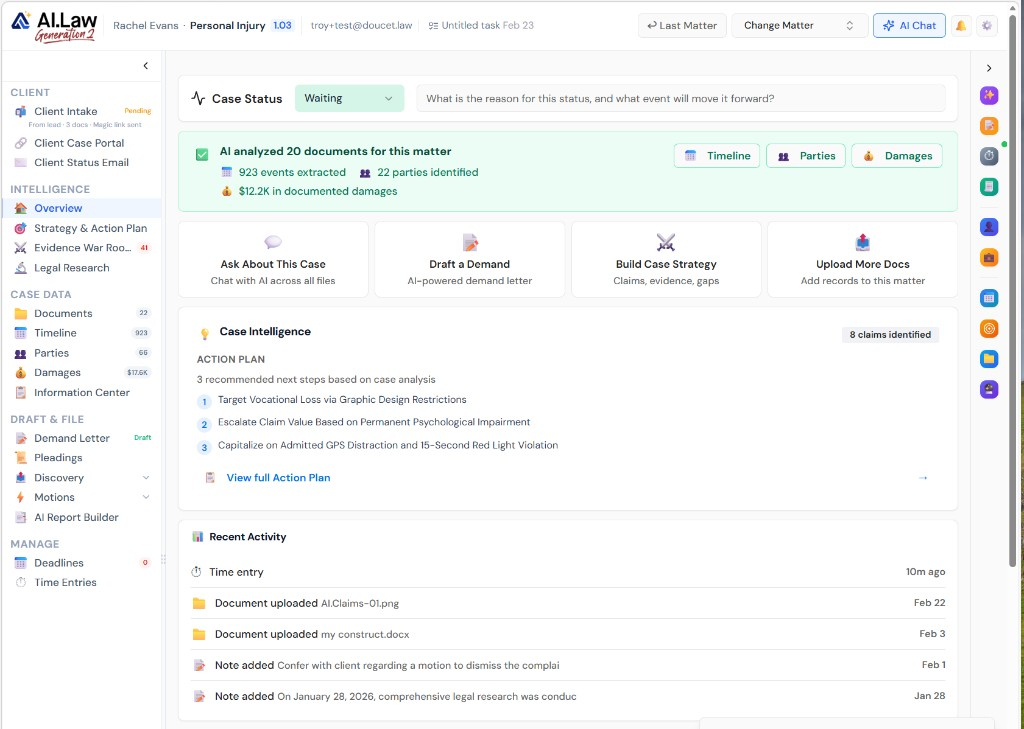
- Every argument in the opposing brief identified, categorized, and addressed with specific counter-argument and authority
- Movant's case citations analyzed and distinguished — AI identifies factual differences and contrary holdings that undermine their reliance on each case
- Factual rebuttals drawn from your case file — deposition testimony, discovery responses, and documents that contradict the movant's factual narrative
- Reply memoranda that address only new arguments raised in the opposition — without improperly rehashing points from the original motion
- Upload the opposing motion and get a complete opposition brief in minutes
- AI identifies and cites counter-authorities for each argument automatically
- AI parses the opposing brief and identifies every distinct argument automatically
- Counter-citations pulled from legal research databases for each point
How It Works
Get started in minutes. No training required.
1. Upload the opposing motion
Add the opposing motion and memorandum to your matter. AI.Law reads and maps every argument and authority cited.
2. AI drafts the opposition
AI generates a point-by-point response with counter-authorities, factual rebuttals from your case files, and procedural counterarguments.
3. Review and refine
Edit individual argument responses, add or replace case citations, and adjust the legal analysis.
4. File the response
Export as Word document with proper formatting, page limits, and certificate of service for your jurisdiction.
More Detail
Every argument countered with law, facts, and procedure — not just disagreement
An opposition brief that says 'Plaintiff disagrees' loses. An opposition brief that dismantles each argument with controlling authority, distinguishes the movant's cases, presents contrary facts from the record, and raises procedural deficiencies wins. AI.Law reads the opposing memorandum, identifies every distinct legal argument and authority, and generates a response that addresses each one — citing counter-authorities, distinguishing their case law, and incorporating facts from your uploaded discovery, depositions, and documents.
- Every argument in the opposing brief identified, categorized, and addressed with specific counter-argument and authority
- Movant's case citations analyzed and distinguished — AI identifies factual differences and contrary holdings that undermine their reliance on each case
- Factual rebuttals drawn from your case file — deposition testimony, discovery responses, and documents that contradict the movant's factual narrative
- Reply memoranda that address only new arguments raised in the opposition — without improperly rehashing points from the original motion
Faster
Opposition briefs that used to take a full day — drafted in minutes
Reading an opposing motion, researching counter-authorities, and drafting a response typically consumes a full day or more. AI.Law processes the opposing brief and generates a complete opposition memorandum with citations in minutes.
- Upload the opposing motion and get a complete opposition brief in minutes
- AI identifies and cites counter-authorities for each argument automatically
- Reply memoranda drafted just as fast — addressing the opposition's response point by point
- Meet tight briefing deadlines without sacrificing thoroughness
Easier
Upload the opposing brief — AI structures the rebuttal
No more starting from a blank page when a motion lands on your desk. Upload the opposing memorandum and AI.Law maps every argument, finds counter-authorities, and structures a complete response.
- AI parses the opposing brief and identifies every distinct argument automatically
- Counter-citations pulled from legal research databases for each point
- Edit individual argument responses independently without rewriting the whole brief
- Proper formatting for your jurisdiction — page limits, citation format, procedural requirements
More Money
Win more arguments by responding to every point thoroughly
When time pressure forces you to rush an opposition brief, arguments go inadequately addressed and cases are lost on the briefing. AI.Law ensures every opposing argument gets a thorough response — so you win on the merits, not lose on the clock.
- No more conceding arguments because you ran out of time to brief them
- Stronger opposition briefs lead to better outcomes on motions and at trial
- Handle multiple pending motions simultaneously without quality dropping
- Faster brief drafting means lower costs for clients and better realization rates
Stop rushing opposition briefs under deadline pressure
See what changes when AI handles the work instead.
| Area | The Old Way | With AI.Law |
|---|---|---|
| Drafting time | 6–10 hours for a thorough opposition memorandum | Complete opposition brief with citations in minutes |
| Counter-research | Hours finding authorities that counter each argument | AI identifies counter-authorities for each point automatically |
| Thoroughness | Time pressure means some arguments get conceded | Every argument mapped and addressed — nothing conceded by default |
| Reply briefs | Even less time for reply memos after waiting for the opposition | Reply memoranda drafted just as fast from the opposition brief |
| Multiple motions | Overwhelmed when several motions are pending simultaneously | Handle any number of pending motions without quality loss |
Related tools for Opposition Briefs
Same matter file, same uploads — keep working in this litigation workflow cluster.
- Draft the opening motion before you write the opposition — Motion Drafting
- Verify every citation in the brief you are opposing — Brief Analyzer & Citation Lookup
- Research counter-authority with case documents injected — Legal Research
- Surface impeachment material for your opposition argument — Deposition Analysis
Browse all Drafting tools on the features hub, or see all features.
Free practice management. Pay only for AI you use.
Run your firm on Free Forever at $0 — CRM, calendar, billing, and document management for everyone. Add paid AI seats only for the people who need them, all on one plan for your firm: Core, Litigator, or Advanced.
- 11 tools free forever — no credit card required
- One plan for your firm — every paid seat on the same plan
- Cancel any paid seat anytime — no lock-in
- Annual billing: 12 months for the price of 11 on paid seats
- Free Forever practice management stays at $0
SOC 2 Type II Certified · Patented Technology · No AI Training on Your Data · You Own Your Data
Explore More
Court-compliant document formatting — captions, line numbering, margins, and jurisdiction-specific rules applied automatically
AI.Law formats your drafted documents to meet court filing requirements: proper caption blocks, line numbering where required, correct margins and font sizes, certificate of service, and jurisdiction-specific formatting rules. Documents export ready to file — not ready to spend another hour formatting in Word.
Get started with Opposition Briefs
Open a free practice management account, or build an AI plan when you’re ready.
No credit card required.
Need a firm or enterprise plan? Talk to our team