Model Context Protocol support — connect your own AI agents directly into AI.Law’s intelligence layer
AI.Law supports the Model Context Protocol (MCP), enabling external AI agents and workflows to access your firm’s AI.Law data through a standard JSON-RPC interface. MCP-compatible clients can read matters, document metadata, full parsed text, timelines, parties, costs, damages, and usage, and use selected AI.Law tools from outside the platform.
Firmwide controls and integrations — included on Advanced (Win) and Enterprise. See pricing
How MCP Connections works on a live matter
MCP Connections is the AI.Law tool civil litigators use for document, research, and case-strategy work. Without MCP, using AI.Law’s intelligence in another context requires manually copying data, switching between applications, and pasting results. With MCP, your AI agent in any environment can directly query AI.Law: search a matter, pull document text, retrieve matter summaries, or call available tools without you leaving your current workflow. The AI agent accesses AI.Law through the MCP standard and presents the result in your current context.
On a live matter it runs in 4 steps: (1) Enable MCP in developer settings, (2) Configure your AI agent, (3) Use AI.Law tools from any environment, (4) Build composable workflows. Navigate to Organization Admin → Developer Settings. Copy your API key and the MCP server URL from the MCP Connections tab.
The Model Context Protocol (MCP) is an open standard that allows AI applications to connect to external data sources and tools. AI.Law’s MCP support means any MCP-compatible AI agent can access your firm’s case data, document intelligence, and selected AI.Law operations through a structured server interface. An AI assistant in your desktop environment can search matters, retrieve matter summaries, search document text, create matters, and read case resources — all through AI.Law’s MCP server, with the same security and permissions that govern direct platform access. MCP server exposes selected AI.Law capabilities as structured tools: search matters, get matter summaries, search document text, and create matters.
Zero context-switching: AI agents access case data from any environment — IDE, desktop, workflow automation, or chat interface. Open standard: MCP is supported by a growing ecosystem of AI tools — connect once, compatible with many. Each output cites the source pages in your matter so you can verify it before you file.
What you get from MCP Connections
Every MCP Connections run is grounded in your uploaded matter — not a blank chat prompt. Here is what attorneys use on real cases:
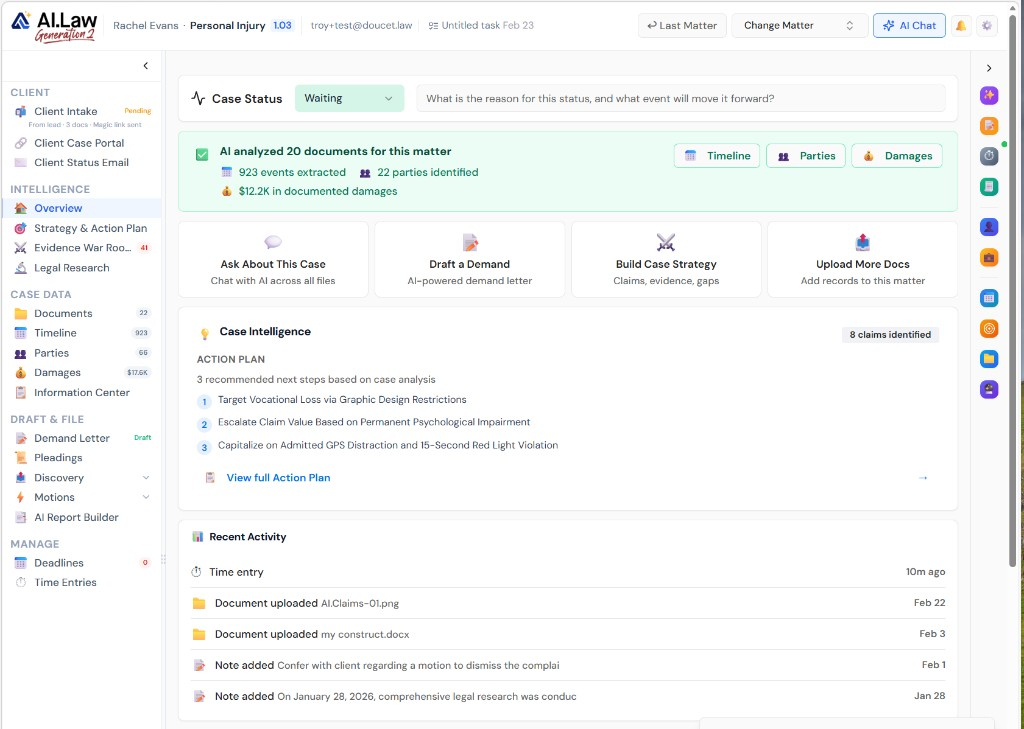
- MCP server exposes selected AI.Law capabilities as structured tools: search matters, get matter summaries, search document text, and create matters
- Security-first: MCP connections authenticate with the same permissions as direct platform access — no separate access model
- Compatible with MCP-capable AI clients such as Claude Desktop, custom agents, workflow automation tools, and IDE integrations
- MCP resources expose current case data: matters, document metadata, full parsed text, timelines, parties, costs, damages, and usage
- Zero context-switching: AI agents access case data from any environment — IDE, desktop, workflow automation, or chat interface
- Real-time data: MCP queries return current case data, not cached or exported snapshots
- Open standard: MCP is supported by a growing ecosystem of AI tools — connect once, compatible with many
- Simple configuration: server URL + authentication — tools available in minutes, not weeks
How It Works
Get started in minutes. No training required.
1. Enable MCP in developer settings
Navigate to Organization Admin → Developer Settings. Copy your API key and the MCP server URL from the MCP Connections tab.
2. Configure your AI agent
Point your MCP-compatible AI agent to AI.Law’s MCP server URL. Authenticate with your API credentials. Available tools and resources appear automatically.
3. Use AI.Law tools from any environment
Your AI agent can now search matters, retrieve matter summaries, search document text, and read current case resources from AI.Law.
4. Build composable workflows
Chain AI.Law tools with other MCP-compatible tools to build multi-step workflows: research → analyze → draft → review — all automated.
More Detail
AI.Law as a tool provider for your AI ecosystem — not an isolated application
The Model Context Protocol (MCP) is an open standard that allows AI applications to connect to external data sources and tools. AI.Law’s MCP support means any MCP-compatible AI agent can access your firm’s case data, document intelligence, and selected AI.Law operations through a structured server interface. An AI assistant in your desktop environment can search matters, retrieve matter summaries, search document text, create matters, and read case resources — all through AI.Law’s MCP server, with the same security and permissions that govern direct platform access.
- MCP server exposes selected AI.Law capabilities as structured tools: search matters, get matter summaries, search document text, and create matters
- Security-first: MCP connections authenticate with the same permissions as direct platform access — no separate access model
- Compatible with MCP-capable AI clients such as Claude Desktop, custom agents, workflow automation tools, and IDE integrations
- MCP resources expose current case data: matters, document metadata, full parsed text, timelines, parties, costs, damages, and usage
Faster
Your AI workflows access case intelligence without switching applications
Without MCP, using AI.Law’s intelligence in another context requires manually copying data, switching between applications, and pasting results. With MCP, your AI agent in any environment can directly query AI.Law: search a matter, pull document text, retrieve matter summaries, or call available tools without you leaving your current workflow. The AI agent accesses AI.Law through the MCP standard and presents the result in your current context.
- Zero context-switching: AI agents access case data from any environment — IDE, desktop, workflow automation, or chat interface
- Real-time data: MCP queries return current case data, not cached or exported snapshots
- Composable workflows: chain AI.Law tools with other MCP-compatible tools for multi-step automation
- Reduced manual data transfer: your AI workflow gets the data it needs directly from AI.Law without human copy-paste
Easier
Standard protocol — no custom integration code for each AI tool
MCP is an open standard. Any AI tool that supports MCP can connect to AI.Law without a custom one-off integration. Configure the MCP server URL, authenticate with your API credentials, and the supported tools and resources become available. No vendor-specific API to reverse-engineer. One standard connection for any compatible AI application.
- Open standard: MCP is supported by a growing ecosystem of AI tools — connect once, compatible with many
- Simple configuration: server URL + authentication — tools available in minutes, not weeks
- No custom code required for basic connections — configure and use
- Built-in setup guidance: Developer Settings includes MCP examples for Claude Desktop and Postman testing
More Money
AI.Law as the intelligence backbone for your firm’s AI strategy — one platform, infinite applications
Firms adopting AI are building diverse workflows: automated research assistants, document drafting agents, client communication bots, and case analysis pipelines. Each one needs access to case data and document intelligence. Without MCP, each workflow requires its own integration, its own data pipeline, and its own maintenance. With MCP, AI.Law serves as the single intelligence layer that AI clients can connect to for matter data, document text, and selected AI.Law tools — one source of case truth, one security model, one platform to maintain.
- Single intelligence layer: all AI applications access the same case data through one standardized connection
- Reduced integration cost: one MCP connection replaces multiple custom integrations — build once, connect everything
- Future-proof AI strategy: as new AI tools emerge, they connect to AI.Law via the same MCP standard — no new integration work
- Competitive advantage: firms with AI.Law + MCP can adopt new AI capabilities faster than firms building integrations from scratch for each tool
Stop building custom integrations for every AI tool your firm adopts
See what changes when AI handles the work instead.
| Area | The Old Way | With AI.Law |
|---|---|---|
| Integration model | Custom API integration for each AI tool — weeks of development per integration | MCP standard: configure once, compatible with any MCP-enabled AI tool |
| Data access | Export data from AI.Law, import into the other tool — manual and error-prone | Real-time access via MCP — your AI agent queries AI.Law directly |
| Security | Each integration has its own access model — hard to audit and control | Same permissions as direct platform access — one security model for all connections |
| Maintenance | Each custom integration requires ongoing maintenance and updates | Standard protocol — AI.Law maintains the MCP server, your agent connects via the standard |
| Future tools | Every new AI tool requires a new integration project | New MCP-compatible tools connect immediately — no new integration work |
Related tools for MCP Connections
Same matter file, same uploads — keep working in this litigation workflow cluster.
- Use REST API alongside MCP agent connections — API Access
- Extend AI Associate with external tool connections — AI Associate
Browse all Admin tools on the features hub, or see all features.
Free practice management. Pay only for AI you use.
Run your firm on Free Forever at $0 — CRM, calendar, billing, and document management for everyone. Add paid AI seats only for the people who need them, all on one plan for your firm: Core, Litigator, or Advanced.
- 11 tools free forever — no credit card required
- One plan for your firm — every paid seat on the same plan
- Cancel any paid seat anytime — no lock-in
- Annual billing: 12 months for the price of 11 on paid seats
- Free Forever practice management stays at $0
SOC 2 Type II Certified · Patented Technology · No AI Training on Your Data · You Own Your Data
Explore More
12 AI feature categories — toggled on or off by your firm, per matter, with full audit trail
Your firm decides which AI features are active — firm-wide defaults and per-matter overrides. Disable AI processing for a client who hasn’t consented. Turn off specific categories to control costs. Every change logged with who made it, when, and why. AI Controls give your firm the governance layer that serious litigation practices require — not a black box where AI runs unchecked.
Get started with MCP Connections
Open a free practice management account, or build an AI plan when you’re ready.
No credit card required.
Need a firm or enterprise plan? Talk to our team
Security and access
API and MCP connections use the same role-based permissions, matter visibility, and audit logging as direct platform access. Credentials are issued per organization; traffic is encrypted in transit; your matter content is not used to train public AI models.