Full API access to integrate AI.Law into your existing tech stack — not a walled garden, but a platform that works with everything else
AI.Law provides RESTful API access for firms that need to integrate with existing systems: read matters, clients, document metadata, and full parsed document text; create clients and matters from outside systems; and connect AI.Law with the tools your firm already uses.
Firmwide controls and integrations — included on Advanced (Win) and Enterprise. See pricing
How API Access works on a live matter
API Access is the AI.Law tool civil litigators use for document, research, and case-strategy work. Firms using separate practice management software, CRMs, or internal workflow systems spend hours weekly manually transferring data between systems: copying client information, re-entering matter details, and exporting results. API access enables automated data flows: a client created in your CRM can be created in AI.Law, a new matter in your system can open a new matter in AI.Law, and parsed document text can flow into the tools your firm already depends on.
On a live matter it runs in 4 steps: (1) Enable API access, (2) Explore the documentation, (3) Build your integration, (4) Monitor and manage. Navigate to Organization Admin → Developer Settings. Generate API keys with scoped permissions for your integration use case.
Most legal AI tools operate as isolated applications: data goes in, results come out, but nothing connects to the rest of your technology stack. AI.Law’s API provides programmatic access to matter data, client information, document metadata, full parsed document text, and selected case-analysis results — so firms with existing practice management systems, CRMs, or custom workflows can integrate AI.Law into their technology ecosystem rather than replacing it entirely. RESTful API with standard HTTP methods, JSON responses, and API-key authentication.
Automated matter and client creation from outside systems instead of duplicate manual entry. Interactive API documentation with request and response examples for every endpoint. Each output cites the source pages in your matter so you can verify it before you file.
What you get from API Access
Every API Access run is grounded in your uploaded matter — not a blank chat prompt. Here is what attorneys use on real cases:
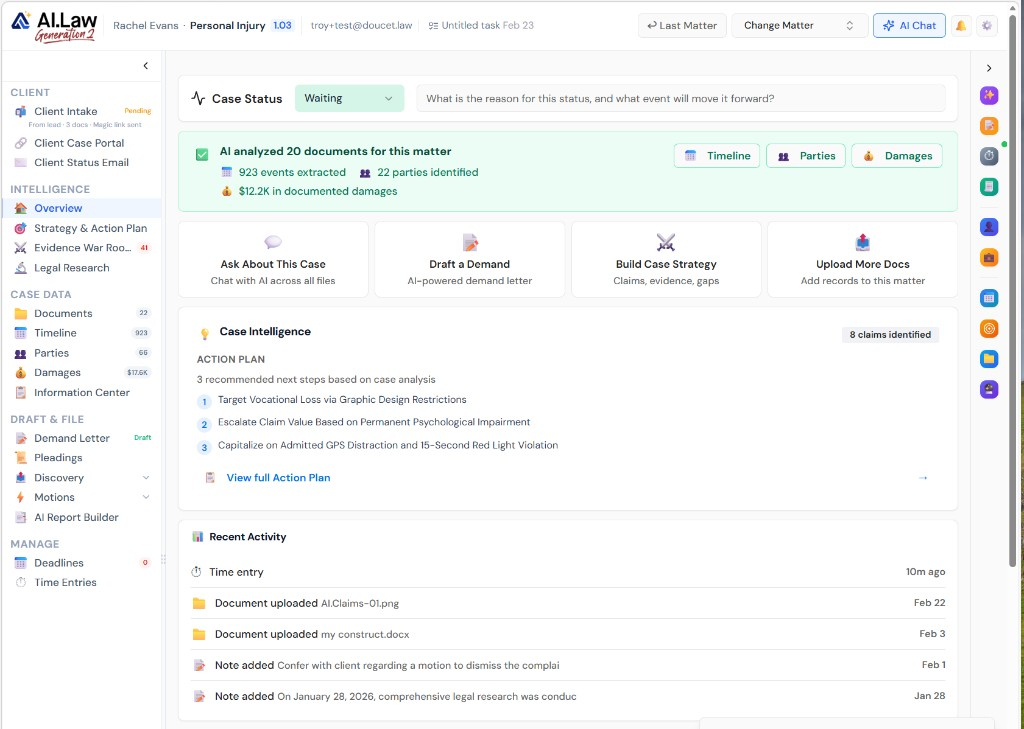
- RESTful API with standard HTTP methods, JSON responses, and API-key authentication
- Matter and client access: read matters and clients, create new clients, and create or update matters programmatically
- Document access: list document metadata and retrieve full parsed text for downstream automation, search, or document recreation
- Webhook support: receive real-time notifications when matters are created or updated, clients are created, and documents finish processing
- Automated matter and client creation from outside systems instead of duplicate manual entry
- Document-processing webhooks: when AI.Law finishes processing a document, your system can be notified automatically
- Interactive API documentation with request and response examples for every endpoint
- Clear distinction between document metadata and full parsed text so integrators know which endpoint to call
How It Works
Get started in minutes. No training required.
1. Enable API access
Navigate to Organization Admin → Developer Settings. Generate API keys with scoped permissions for your integration use case.
2. Explore the documentation
Review the interactive API documentation with endpoints, request and response formats, authentication details, and the difference between metadata endpoints and full parsed-text endpoints.
3. Build your integration
Use the RESTful API with your preferred language and framework. Create clients first, then create matters, and use webhooks for real-time event notifications.
4. Monitor and manage
Track API usage, manage keys, and monitor integration health from the developer dashboard.
More Detail
A platform that integrates — not one that replaces everything or nothing
Most legal AI tools operate as isolated applications: data goes in, results come out, but nothing connects to the rest of your technology stack. AI.Law’s API provides programmatic access to matter data, client information, document metadata, full parsed document text, and selected case-analysis results — so firms with existing practice management systems, CRMs, or custom workflows can integrate AI.Law into their technology ecosystem rather than replacing it entirely.
- RESTful API with standard HTTP methods, JSON responses, and API-key authentication
- Matter and client access: read matters and clients, create new clients, and create or update matters programmatically
- Document access: list document metadata and retrieve full parsed text for downstream automation, search, or document recreation
- Webhook support: receive real-time notifications when matters are created or updated, clients are created, and documents finish processing
Faster
Automate data flows between AI.Law and your existing systems — no manual import/export
Firms using separate practice management software, CRMs, or internal workflow systems spend hours weekly manually transferring data between systems: copying client information, re-entering matter details, and exporting results. API access enables automated data flows: a client created in your CRM can be created in AI.Law, a new matter in your system can open a new matter in AI.Law, and parsed document text can flow into the tools your firm already depends on.
- Automated matter and client creation from outside systems instead of duplicate manual entry
- Document-processing webhooks: when AI.Law finishes processing a document, your system can be notified automatically
- Full parsed-text access: downstream systems can consume the actual extracted document text, not just a metadata shell
- Eliminate manual data entry between systems — enter data once and it flows everywhere
Easier
Comprehensive documentation and developer tools for fast integration
AI.Law’s API includes concrete request and response examples, API key management from Developer Settings, and endpoint-level guidance for what each surface returns. Your IT team or integration partner can build integrations without guessing at authentication, payload shape, or where to find full document text versus metadata.
- Interactive API documentation with request and response examples for every endpoint
- Clear distinction between document metadata and full parsed text so integrators know which endpoint to call
- API key management from the developer settings page — create, rotate, and revoke keys with audit logging
- Rate limiting and usage tracking: monitor API consumption and spot unusual activity early
More Money
Integration eliminates duplicate data entry — every hour of manual transfer is wasted overhead
A firm spending 5 hours per week on manual data transfer between AI.Law and their existing systems is spending $15,000–$25,000 per year on administrative overhead that API integration eliminates. Beyond cost savings, integration ensures data consistency: no mismatched matter numbers, no missing client records, and no need to manually retype parsed document text into other tools.
- Administrative overhead reduction: 5–10 hours per week of manual data transfer eliminated
- Data consistency: one source of truth, synchronized across all systems — no discrepancies
- Custom workflows: build firm-specific automations that combine AI.Law’s AI with your existing business processes
- Future-proof: API access means your firm can adopt new tools and integrate them with AI.Law as your tech stack evolves
Stop copying data between systems that should talk to each other
See what changes when AI handles the work instead.
| Area | The Old Way | With AI.Law |
|---|---|---|
| Data transfer | Manual copy-paste between AI.Law and your PMS — 5+ hours per week | Automated client and matter creation plus parsed-text retrieval — no manual transfer |
| Data consistency | Mismatched records between systems — which one is correct? | Single source of truth synchronized in real time — always consistent |
| Custom workflows | Limited to what each software vendor decided to build | Build any workflow connecting AI.Law to your existing tools via API |
| Integration options | Locked into the vendor’s pre-built integrations (if any exist) | RESTful API with full access — integrate with anything that speaks HTTP |
| Setup | Months of back-and-forth with vendor support for custom integrations | Self-service API keys, live examples, and clear field-by-field docs — start building immediately |
Related tools for API Access
Same matter file, same uploads — keep working in this litigation workflow cluster.
- Connect external AI agents via Model Context Protocol — MCP Connections
- Scope API access with firm role policies — Permissions & Roles
Browse all Admin tools on the features hub, or see all features.
Free practice management. Pay only for AI you use.
Run your firm on Free Forever at $0 — CRM, calendar, billing, and document management for everyone. Add paid AI seats only for the people who need them, all on one plan for your firm: Core, Litigator, or Advanced.
- 11 tools free forever — no credit card required
- One plan for your firm — every paid seat on the same plan
- Cancel any paid seat anytime — no lock-in
- Annual billing: 12 months for the price of 11 on paid seats
- Free Forever practice management stays at $0
SOC 2 Type II Certified · Patented Technology · No AI Training on Your Data · You Own Your Data
Explore More
Model Context Protocol support — connect your own AI agents directly into AI.Law’s intelligence layer
AI.Law supports the Model Context Protocol (MCP), enabling external AI agents and workflows to access your firm’s AI.Law data through a standard JSON-RPC interface. MCP-compatible clients can read matters, document metadata, full parsed text, timelines, parties, costs, damages, and usage, and use selected AI.Law tools from outside the platform.
Get started with API Access
Open a free practice management account, or build an AI plan when you’re ready.
No credit card required.
Need a firm or enterprise plan? Talk to our team
Security and access
API and MCP connections use the same role-based permissions, matter visibility, and audit logging as direct platform access. Credentials are issued per organization; traffic is encrypted in transit; your matter content is not used to train public AI models.