AI-generated analytical reports tailored to your specific needs
Need a litigation hold analysis, a damages summary for mediation, a case evaluation memo, or a settlement demand breakdown? Describe what you need, point AI.Law at your case documents, and get a structured analytical report with citations to the source material.
How Custom Reports works on a live matter
Custom Reports is the AI.Law tool civil litigators use for document, research, and case-strategy work. A damages summary for mediation means pulling medical costs from the medical analysis, lost wages from employment records, and general damages arguments from settlement correspondence — then formatting it all into a presentation-ready document. AI.Law already has all of this data extracted and analyzed. Generating the report is assembly, not creation.
On a live matter it runs in 4 steps: (1) Describe the report, (2) AI pulls from your case file, (3) Review the structured report, (4) Export and use. Tell AI.Law what you need — damages summary, case evaluation, litigation hold report, or any custom analytical report.
Litigation demands reports that do not fit into a pre-built tool: a damages summary for mediation that combines medical costs, lost wages, and pain-and-suffering analysis in one document. A case evaluation memo for the partner that synthesizes the entire file into a 3-page assessment. A litigation hold identification report for a corporate client. AI.Law generates these reports from your uploaded case documents with citations to the source material — the same documents your AI Associate, Data Extraction, and other tools already analyzed. Damages summaries combining medical specials, lost wages, future damages, and general damages analysis for mediation or settlement conference.
Reports generated in minutes because AI.Law has already extracted, analyzed, and organized your case data. Natural-language request — describe the report you need and AI structures it from your case data. Each output cites the source pages in your matter so you can verify it before you file.
What you get from Custom Reports
Every Custom Reports run is grounded in your uploaded matter — not a blank chat prompt. Here is what attorneys use on real cases:
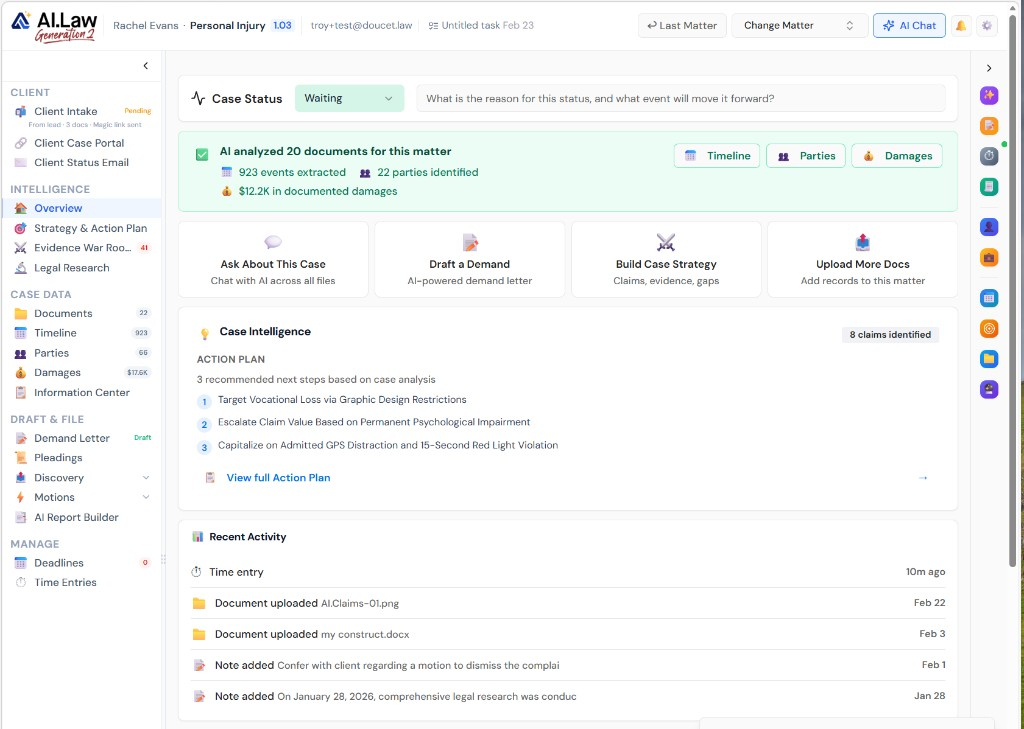
- Damages summaries combining medical specials, lost wages, future damages, and general damages analysis for mediation or settlement conference
- Case evaluation memos synthesizing the entire file — claims, evidence strength, settlement range, and litigation risk — for internal review
- Litigation hold reports identifying custodians, data sources, and preservation obligations for corporate clients
- Any analytical report you can describe — AI generates it from your case documents with page citations
- Reports generated in minutes because AI.Law has already extracted, analyzed, and organized your case data
- No duplicate work — the same medical costs, deposition excerpts, and document analysis that powers other tools flows into custom reports
- Natural-language request — describe the report you need and AI structures it from your case data
- Reports draw from all uploaded documents, extracted data, medical analysis, and deposition analysis in the matter
How It Works
Get started in minutes. No training required.
1. Describe the report
Tell AI.Law what you need — damages summary, case evaluation, litigation hold report, or any custom analytical report.
2. AI pulls from your case file
AI draws from all uploaded documents, extracted data, medical analysis, deposition analysis, and other tools' outputs to assemble the report.
3. Review the structured report
Get a formatted report with sections, citations to source documents, and analysis tailored to your described purpose.
4. Export and use
Export as Word or PDF. Use for mediation, client communication, internal review, or trial preparation.
More Detail
Any analytical report you need — generated from your actual case documents
Litigation demands reports that do not fit into a pre-built tool: a damages summary for mediation that combines medical costs, lost wages, and pain-and-suffering analysis in one document. A case evaluation memo for the partner that synthesizes the entire file into a 3-page assessment. A litigation hold identification report for a corporate client. AI.Law generates these reports from your uploaded case documents with citations to the source material — the same documents your AI Associate, Data Extraction, and other tools already analyzed.
- Damages summaries combining medical specials, lost wages, future damages, and general damages analysis for mediation or settlement conference
- Case evaluation memos synthesizing the entire file — claims, evidence strength, settlement range, and litigation risk — for internal review
- Litigation hold reports identifying custodians, data sources, and preservation obligations for corporate clients
- Any analytical report you can describe — AI generates it from your case documents with page citations
Faster
Reports that took a full day to compile — generated in minutes from your case file
A damages summary for mediation means pulling medical costs from the medical analysis, lost wages from employment records, and general damages arguments from settlement correspondence — then formatting it all into a presentation-ready document. AI.Law already has all of this data extracted and analyzed. Generating the report is assembly, not creation.
- Reports generated in minutes because AI.Law has already extracted, analyzed, and organized your case data
- No duplicate work — the same medical costs, deposition excerpts, and document analysis that powers other tools flows into custom reports
- Export as Word, PDF, or formatted for presentation at mediation or settlement conference
- Update reports instantly as new documents are added or analysis changes throughout the case
Easier
Describe what you need — AI generates it from your case file
Tell AI.Law what kind of report you need in plain language: 'Generate a damages summary for mediation including medical specials, lost wages, and general damages analysis.' AI pulls from your entire case file and produces a structured report.
- Natural-language request — describe the report you need and AI structures it from your case data
- Reports draw from all uploaded documents, extracted data, medical analysis, and deposition analysis in the matter
- Choose the level of detail — executive summary for the partner or comprehensive analysis for trial preparation
- Save report templates for recurring needs — case evaluations, mediation summaries, client status updates
More Money
Professional analytical reports on every case — not just the ones with budget for associate hours
A well-prepared damages summary at mediation leads to higher settlements. A thorough case evaluation memo prevents bad decisions on case strategy. When these reports take minutes instead of hours, every case gets them — and the quality of decision-making across your entire practice improves.
- Better-prepared mediation presentations lead to higher settlements
- Case evaluation memos prevent bad strategic decisions on marginal cases
- Professional reports delivered to clients build trust and justify fees
- No associate hours spent compiling data that AI.Law has already extracted and organized
Stop spending hours compiling reports from data that is already in your case file
See what changes when AI handles the work instead.
| Area | The Old Way | With AI.Law |
|---|---|---|
| Assembly time | 3–6 hours pulling data from multiple sources into a report | Report generated in minutes from data already extracted and analyzed |
| Data access | Re-read documents to find the numbers and facts you need | AI already has medical costs, deposition excerpts, and document analysis ready |
| Consistency | Manually reconcile numbers across different source documents | Single source of truth — same extracted data powers all reports and tools |
| Flexibility | Limited to pre-built report types or manual creation | Any report you can describe — AI generates it from your case data |
| Updates | Rebuild the report when new documents arrive | Regenerate instantly with updated data as the case file grows |
Related tools for Custom Reports
Same matter file, same uploads — keep working in this litigation workflow cluster.
- Extract custom data points for report generation — Custom Field Extraction
- Pull standard damages fields into custom reports — Data Extraction
- Include medical chronologies in analytical reports — Medical Analysis
Browse all Admin tools on the features hub, or see all features.
Free practice management. Pay only for AI you use.
Run your firm on Free Forever at $0 — CRM, calendar, billing, and document management for everyone. Add paid AI seats only for the people who need them, all on one plan for your firm: Core, Litigator, or Advanced.
- 11 tools free forever — no credit card required
- One plan for your firm — every paid seat on the same plan
- Cancel any paid seat anytime — no lock-in
- Annual billing: 12 months for the price of 11 on paid seats
- Free Forever practice management stays at $0
SOC 2 Type II Certified · Patented Technology · No AI Training on Your Data · You Own Your Data
Explore More
AI organizes, indexes, and cross-references discovery productions — turning thousands of pages into searchable, categorized evidence
Receive a discovery production with 3,000 pages of documents and 500 Bates-numbered exhibits and AI.Law ingests, classifies, indexes, and cross-references everything. Search by Bates number, document type, date, author, or content. Find the specific email from June 2024 in seconds, not by scrolling through a PDF for 20 minutes.
Get started with Custom Reports
Open a free practice management account, or build an AI plan when you’re ready.
No credit card required.
Need a firm or enterprise plan? Talk to our team