AI organizes, indexes, and cross-references discovery productions — turning thousands of pages into searchable, categorized evidence
Receive a discovery production with 3,000 pages of documents and 500 Bates-numbered exhibits and AI.Law ingests, classifies, indexes, and cross-references everything. Search by Bates number, document type, date, author, or content. Find the specific email from June 2024 in seconds, not by scrolling through a PDF for 20 minutes.
How Discovery Compilation works on a live matter
Discovery Compilation is the AI.Law tool civil litigators use for written discovery. Organizing a large discovery production manually — identifying documents, logging Bates ranges, classifying types, and building a document index — takes a paralegal 3–5 full days for a 3,000-page production. AI.Law processes the same production in minutes: every document identified, classified, indexed, and searchable. The paralegal reviews the AI’s work in hours instead of creating it from scratch in days.
On a live matter it runs in 4 steps: (1) Upload the production, (2) AI organizes the documents, (3) Search and review, (4) Use the evidence. Drag and drop the production PDFs into the matter. AI processes everything in the background — any number of files, any size.
A discovery production arrives as a stack of PDFs with Bates numbers. Without organization, finding a specific document means remembering approximate Bates ranges, scrolling through massive PDFs, and hoping the document is where you think it is. AI.Law ingests the production, identifies individual documents within the PDFs, classifies each by type (email, letter, contract, invoice, photograph, medical record), extracts metadata (date, author, recipients, subject), and makes everything searchable by content. The production that was an opaque wall of PDF pages becomes an organized, searchable evidence database. Automatic document boundary detection within multi-document PDFs — AI identifies where one document ends and another begins.
Batch processing: upload the entire production and AI processes everything concurrently — no page-by-page review. Drag-and-drop upload of production PDFs — any size, any format, any number of files. Each output cites the source pages in your matter so you can verify it before you file.
What you get from Discovery Compilation
Every Discovery Compilation run is grounded in your uploaded matter — not a blank chat prompt. Here is what attorneys use on real cases:
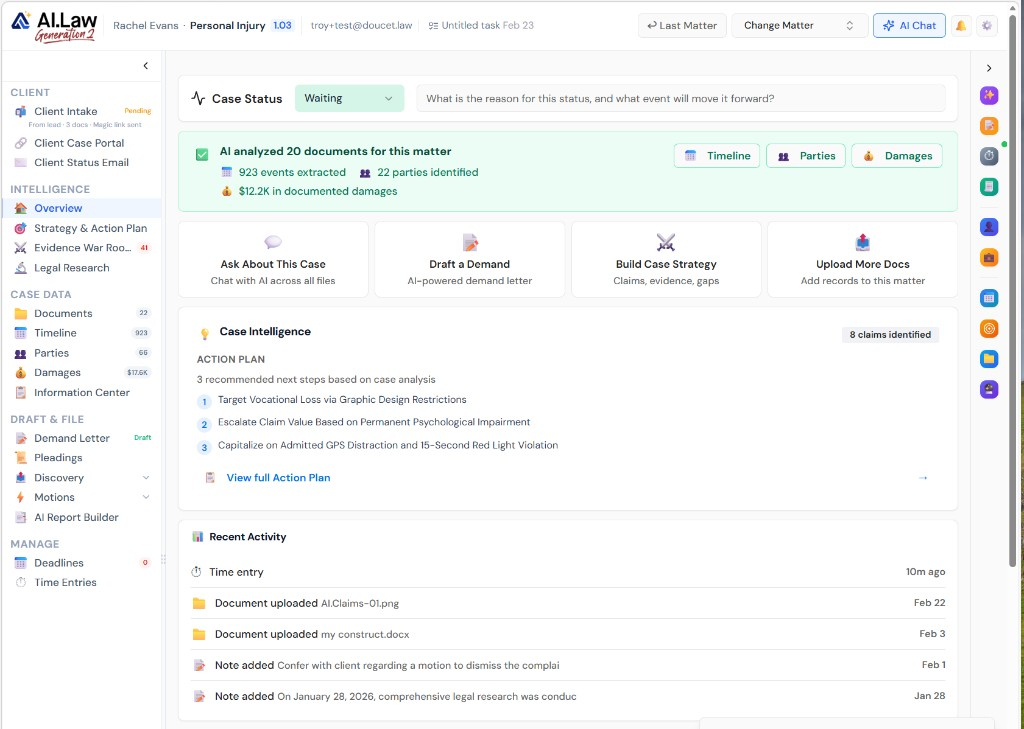
- Automatic document boundary detection within multi-document PDFs — AI identifies where one document ends and another begins
- Document type classification: emails, letters, contracts, invoices, photographs, medical records, pleadings, and more
- Metadata extraction: date, author, recipients, subject line, Bates range, and document title extracted from each document
- Full-text search across the entire production — find any word, phrase, or concept in seconds
- Batch processing: upload the entire production and AI processes everything concurrently — no page-by-page review
- Instant search availability: the production is searchable by content, metadata, and Bates number as soon as processing completes
- Drag-and-drop upload of production PDFs — any size, any format, any number of files
- Automatic Bates number detection and indexing — search by Bates range to find specific documents instantly
How It Works
Get started in minutes. No training required.
1. Upload the production
Drag and drop the production PDFs into the matter. AI processes everything in the background — any number of files, any size.
2. AI organizes the documents
AI identifies document boundaries, detects Bates numbers, classifies document types, extracts metadata, and indexes every page for full-text search.
3. Search and review
Search by Bates number, keyword, date, author, or document type. Filter, sort, and flag documents for further review or use as exhibits.
4. Use the evidence
Pull specific documents for deposition prep, exhibit lists, motion exhibits, or case strategy analysis. Everything is instantly accessible.
More Detail
Every Bates number indexed, every document classified, every page searchable
A discovery production arrives as a stack of PDFs with Bates numbers. Without organization, finding a specific document means remembering approximate Bates ranges, scrolling through massive PDFs, and hoping the document is where you think it is. AI.Law ingests the production, identifies individual documents within the PDFs, classifies each by type (email, letter, contract, invoice, photograph, medical record), extracts metadata (date, author, recipients, subject), and makes everything searchable by content. The production that was an opaque wall of PDF pages becomes an organized, searchable evidence database.
- Automatic document boundary detection within multi-document PDFs — AI identifies where one document ends and another begins
- Document type classification: emails, letters, contracts, invoices, photographs, medical records, pleadings, and more
- Metadata extraction: date, author, recipients, subject line, Bates range, and document title extracted from each document
- Full-text search across the entire production — find any word, phrase, or concept in seconds
Faster
A 3,000-page production organized and searchable in minutes — not the week it usually takes
Organizing a large discovery production manually — identifying documents, logging Bates ranges, classifying types, and building a document index — takes a paralegal 3–5 full days for a 3,000-page production. AI.Law processes the same production in minutes: every document identified, classified, indexed, and searchable. The paralegal reviews the AI’s work in hours instead of creating it from scratch in days.
- Batch processing: upload the entire production and AI processes everything concurrently — no page-by-page review
- Instant search availability: the production is searchable by content, metadata, and Bates number as soon as processing completes
- Hot document identification: AI flags documents likely relevant to the case claims based on content analysis
- Duplicate detection: AI identifies duplicate documents across the production and flags them to avoid redundant review
Easier
Upload the production — AI organizes everything without configuration
No configuration, no rules setup, no Bates prefix specification. Upload the production PDFs and AI.Law handles the rest: document boundaries, Bates numbers, classification, metadata, and indexing. Everything is searchable, filterable, and organized in a production review interface designed for litigation.
- Drag-and-drop upload of production PDFs — any size, any format, any number of files
- Automatic Bates number detection and indexing — search by Bates range to find specific documents instantly
- Filter by document type, date range, author, or keyword to narrow your review to relevant documents
- Production comparison: when supplemental productions arrive, AI identifies what is new and what is duplicated
More Money
Finding the right document at the right moment wins depositions and hearings
In a deposition, opposing counsel references exhibit 47. You need to find Bates 003421–003428 in 30 seconds, not 5 minutes. During a hearing, the judge asks about the June 2024 email. You need it immediately. Discovery Compilation means every document is instantly accessible by Bates number, date, type, or content. The attorney who can find anything in seconds controls the proceeding. The attorney who is flipping through binders does not.
- Instant document retrieval during depositions and hearings — search by Bates number, keyword, or date in seconds
- Paralegal time savings: 3–5 days of manual organization reduced to hours of AI-assisted review
- Better deposition preparation: search the production for every document mentioning a specific witness, topic, or date range before the deposition
- Cross-reference productions from different parties: link documents across productions by subject, date, or participants
Stop scrolling through 3,000-page PDFs looking for one document
See what changes when AI handles the work instead.
| Area | The Old Way | With AI.Law |
|---|---|---|
| Organization | 3–5 days of paralegal time to log, classify, and index a production | AI organizes the entire production in minutes — classified, indexed, and searchable |
| Document search | Scroll through PDFs or search a manually-built index that may be incomplete | Full-text search across every page with Bates number, metadata, and content indexing |
| Hot documents | Discovered during the manual review process — if the reviewer catches them | AI flags potentially relevant documents based on claims analysis |
| Duplicates | Discovered when you waste time reviewing the same document twice | Automatic duplicate detection across the production and supplemental productions |
| Deposition prep | Flip through binders hoping to find the right exhibit | Search and pull any document in seconds during live proceedings |
Related tools for Discovery Compilation
Same matter file, same uploads — keep working in this litigation workflow cluster.
- Draft discovery requests before compiling the production — Discovery Drafting
- Search indexed documents across the matter production — Document Management
- Cross-reference produced documents against testimony — Deposition Inconsistency Finder
- Extract structured data from produced medical and billing records — Data Extraction
Browse all Discovery tools on the features hub, or see all features.
Free practice management. Pay only for AI you use.
Run your firm on Free Forever at $0 — CRM, calendar, billing, and document management for everyone. Add paid AI seats only for the people who need them, all on one plan for your firm: Core, Litigator, or Advanced.
- 11 tools free forever — no credit card required
- One plan for your firm — every paid seat on the same plan
- Cancel any paid seat anytime — no lock-in
- Annual billing: 12 months for the price of 11 on paid seats
- Free Forever practice management stays at $0
SOC 2 Type II Certified · Patented Technology · No AI Training on Your Data · You Own Your Data
Explore More
AI cross-references testimony across multiple depositions to surface contradictions, timeline conflicts, and impeachment opportunities
Upload deposition transcripts from multiple witnesses and AI.Law compares testimony across all of them — finding contradictions in timelines, conflicting accounts of the same events, inconsistent descriptions of injuries or damages, and statements that contradict documentary evidence. The impeachment material that would take weeks of manual comparison surfaces in minutes.
Get started with Discovery Compilation
Open a free practice management account, or build an AI plan when you’re ready.
No credit card required.
Need a firm or enterprise plan? Talk to our team