AI classifies every uploaded document, suggests the correct matter, and routes files into the right folder — zero manual filing
Upload 200 documents in a batch and AI.Law’s file routing engine classifies each one by document type (medical record, police report, insurance correspondence, deposition transcript, billing statement), identifies which matter it belongs to, and routes it to the correct taxonomy folder — automatically. No paralegal sorting files for hours. No documents filed in the wrong case. No “unsorted” folder growing endlessly.
First available on Core (Understand), from $99 per month for the firm. See pricing
How Automated File Routing works on a live matter
Automated File Routing is the AI.Law tool civil litigators use for document, research, and case-strategy work. A new client brings in a banker’s box of documents: medical records from four providers, a police report, insurance correspondence, photos, bills, and a stack of handwritten notes. Traditionally, a paralegal spends 3–4 hours scanning, naming, and filing each document in the correct folder. With AI.Law, scan the entire box, upload the batch, and the file routing engine classifies and routes everything in minutes. The paralegal reviews the AI’s classifications, confirms or adjusts, and moves on to substantive work.
On a live matter it runs in 4 steps: (1) Upload documents, (2) AI classifies each document, (3) Review and confirm, (4) Documents are organized and searchable. Drag and drop files, forward emails, or batch upload from any source. Upload to a specific matter or to the firm-wide upload center — AI determines where each document belongs.
Traditional document management relies on the person uploading the file to name it correctly and put it in the right folder. That fails constantly: a medical record gets filed as “misc,” a police report is uploaded to the wrong case, and three copies of the same insurance letter end up in three different folders. AI.Law’s file routing reads the actual content of every document, classifies it by type using a trained taxonomy, identifies which matter it relates to based on party names, case numbers, and contextual clues, and routes it to the correct folder. The classification works on messy scans, photographed documents, and multi-page PDFs that contain multiple document types. Content-based classification — AI reads the document and determines the type (medical record, police report, correspondence, pleading, transcript, billing statement) regardless of the filename.
What you get from Automated File Routing
Every Automated File Routing run is grounded in your uploaded matter — not a blank chat prompt. Here is what attorneys use on real cases:
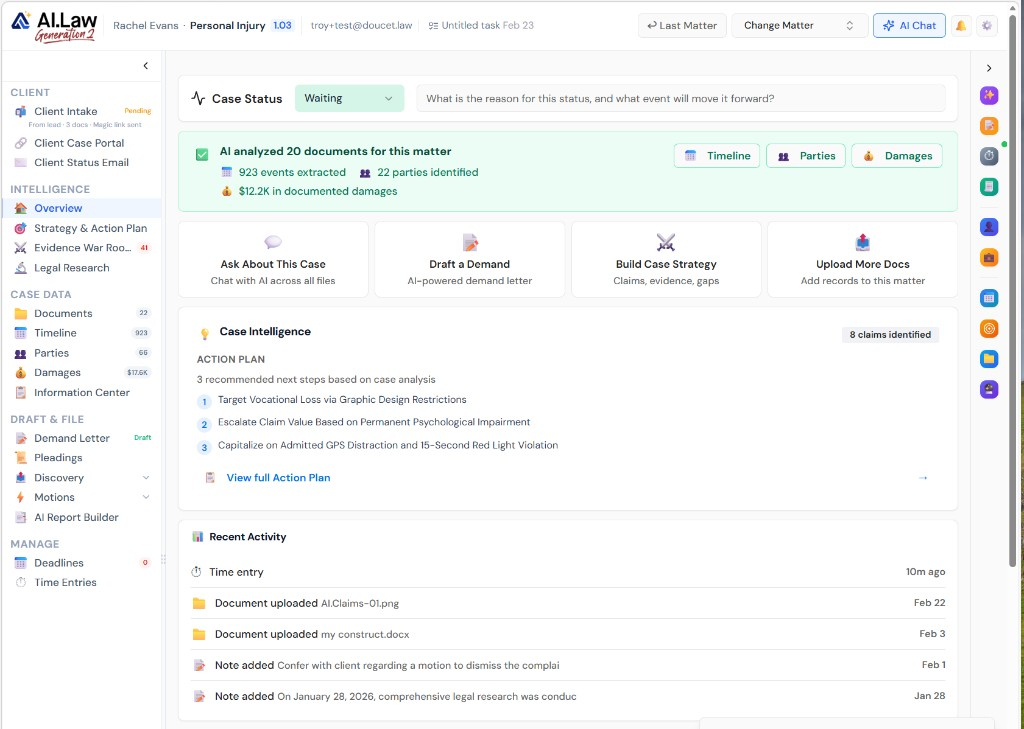
- Content-based classification — AI reads the document and determines the type (medical record, police report, correspondence, pleading, transcript, billing statement) regardless of the filename
- Matter identification from document content — AI matches party names, case numbers, dates of loss, and contextual details to suggest the correct matter, even for bulk uploads across multiple cases
- Multi-document PDFs handled intelligently — a single PDF containing a police report, medical records, and insurance correspondence is identified and can be routed appropriately
- Trained taxonomy with 40+ document types specific to litigation practice — not generic categories like “other” or “misc”
- Batch upload any number of documents — drag and drop an entire folder and AI processes everything concurrently
- Classification results in minutes, not hours — AI processes documents in parallel across the batch
- Background processing — upload and continue working while AI classifies and routes
- Works with any upload source: desktop drag-and-drop, email-to-matter forwarding, client portal uploads, scanner integrations, and mobile uploads
How It Works
Get started in minutes. No training required.
1. Upload documents
Drag and drop files, forward emails, or batch upload from any source. Upload to a specific matter or to the firm-wide upload center — AI determines where each document belongs.
2. AI classifies each document
The file routing engine reads the content of every document, classifies it by type using a 40+ category litigation taxonomy, and identifies which matter it relates to.
3. Review and confirm
High-confidence classifications route automatically. Lower-confidence items surface in a review queue with the AI’s suggested classification and confidence score. Confirm or correct with one click.
4. Documents are organized and searchable
Classified documents are routed to the correct taxonomy folder, indexed for AI search and chat, and available for all AI-powered analysis tools immediately.
More Detail
AI document classification that understands what the document is — not just what it is named
Traditional document management relies on the person uploading the file to name it correctly and put it in the right folder. That fails constantly: a medical record gets filed as “misc,” a police report is uploaded to the wrong case, and three copies of the same insurance letter end up in three different folders. AI.Law’s file routing reads the actual content of every document, classifies it by type using a trained taxonomy, identifies which matter it relates to based on party names, case numbers, and contextual clues, and routes it to the correct folder. The classification works on messy scans, photographed documents, and multi-page PDFs that contain multiple document types.
- Content-based classification — AI reads the document and determines the type (medical record, police report, correspondence, pleading, transcript, billing statement) regardless of the filename
- Matter identification from document content — AI matches party names, case numbers, dates of loss, and contextual details to suggest the correct matter, even for bulk uploads across multiple cases
- Multi-document PDFs handled intelligently — a single PDF containing a police report, medical records, and insurance correspondence is identified and can be routed appropriately
- Trained taxonomy with 40+ document types specific to litigation practice — not generic categories like “other” or “misc”
Faster
Upload 200 documents — every one classified and routed in minutes, not hours
A new client brings in a banker’s box of documents: medical records from four providers, a police report, insurance correspondence, photos, bills, and a stack of handwritten notes. Traditionally, a paralegal spends 3–4 hours scanning, naming, and filing each document in the correct folder. With AI.Law, scan the entire box, upload the batch, and the file routing engine classifies and routes everything in minutes. The paralegal reviews the AI’s classifications, confirms or adjusts, and moves on to substantive work.
- Batch upload any number of documents — drag and drop an entire folder and AI processes everything concurrently
- Classification results in minutes, not hours — AI processes documents in parallel across the batch
- Review queue shows AI’s classification with confidence scores — high-confidence classifications route automatically, lower-confidence items surface for human review
- One-click confirmation or correction — if the AI guessed wrong, select the correct type and the system learns from the correction
Easier
Upload and walk away — files are organized when you come back
File routing runs in the background. Upload documents at any time — from your desktop, from email, from a scanner, from a client portal upload — and the routing engine processes them automatically. No need to sit and watch. No need to pre-sort before uploading. No need to remember which folder goes where. When you return to the matter, your documents are classified, organized, and ready to work with.
- Background processing — upload and continue working while AI classifies and routes
- Works with any upload source: desktop drag-and-drop, email-to-matter forwarding, client portal uploads, scanner integrations, and mobile uploads
- Consistent organization across every matter in the firm — every case uses the same taxonomy, maintained by AI, not by inconsistent human filing habits
- Searchable immediately — classified documents are indexed for AI search, chat, and analysis as soon as routing completes
More Money
Paralegals working on strategy instead of filing — and every document findable when you need it
A paralegal earning $60,000/year who spends 25% of their time filing documents represents $15,000/year in document management overhead. Multiply that across a firm with 5 paralegals and you are spending $75,000/year on manual filing. AI file routing reduces that to near zero. But the bigger value is findability: when you need the MRI report from Dr. Chen during a deposition, it is in the correct folder under “Medical Records > Imaging” — not buried in an “unsorted” folder with 300 other files.
- Paralegal time redirected from filing to substantive case work — reviewing records, drafting discovery responses, preparing for depositions
- Every document findable by type and matter — no more searching through unsorted folders or asking who uploaded what and where
- Reduced misfiling risk — documents routed to the wrong case can cause privilege issues, missed evidence, or discovery failures
- Faster new-case onboarding: when a client delivers a box of documents, the firm is working the case within hours instead of spending days on organization
Stop paying paralegals to sort files that AI can classify in seconds
See what changes when AI handles the work instead.
| Area | The Old Way | With AI.Law |
|---|---|---|
| Classification | Paralegal reads each document and decides the type — 3–4 hours per banker’s box | AI reads content and classifies by type in minutes — 40+ litigation-specific categories |
| Matter routing | Uploader must know which case the document belongs to and select the correct folder | AI identifies the matter from document content — party names, case numbers, dates of loss |
| Consistency | Each paralegal files differently — “Medical Records” vs “Medical” vs “Dr. Smith” | Consistent taxonomy across every matter in the firm — same categories, same structure, every case |
| Findability | “Check the unsorted folder” — or search through 300 files hoping the name is descriptive | Every document classified, organized by type, and searchable by content within seconds of upload |
| Bulk uploads | Upload one at a time, name each file, select a folder — repeat 200 times | Batch upload the entire folder — AI classifies and routes everything concurrently |
Related tools for Automated File Routing
Same matter file, same uploads — keep working in this litigation workflow cluster.
- Classify every page by document type at upload — Document Classifications
- Store routed files with full-text search — Document Management
- Extract structured data after files are routed — Data Extraction
Browse all Admin tools on the features hub, or see all features.
Free practice management. Pay only for AI you use.
Run your firm on Free Forever at $0 — CRM, calendar, billing, and document management for everyone. Add paid AI seats only for the people who need them, all on one plan for your firm: Core, Litigator, or Advanced.
- 11 tools free forever — no credit card required
- One plan for your firm — every paid seat on the same plan
- Cancel any paid seat anytime — no lock-in
- Annual billing: 12 months for the price of 11 on paid seats
- Free Forever practice management stays at $0
SOC 2 Type II Certified · Patented Technology · No AI Training on Your Data · You Own Your Data
Explore More
Search every document across every matter in your firm — instantly find what you need without remembering where you filed it
AI-powered firmwide document search that looks inside your files, not just at filenames. Find relevant documents, discover cross-matter patterns, and surface intelligence buried across thousands of case files.
Get started with Automated File Routing
Open a free practice management account, or build an AI plan when you’re ready.
No credit card required.
Need a firm or enterprise plan? Talk to our team