Every document automatically classified by type the moment it’s uploaded — no manual tagging, no missed files
AI reads every page of every uploaded file and classifies it by document type — medical records, pleadings, correspondence, contracts, discovery, and dozens more. Your documents are organized before you even open them.
How Document Classifications works on a live matter
Document Classifications is the AI.Law tool civil litigators use for document, research, and case-strategy work. A paralegal manually classifying a 500-page production spends hours opening files, reading pages, and tagging each document. AI.Law processes the same production in minutes. Every page is read, every document is classified, and the results are available in the document view immediately. The paralegal reviews the AI's classifications instead of creating them from scratch.
On a live matter it runs in 4 steps: (1) Upload documents to any matter, (2) AI reads every page, (3) Each document is classified, (4) Classifications appear in the documents view. Upload files individually or in bulk. Any format — PDF, Word, images, scans.
In most case management systems, document organization depends on the person uploading the file. Rename it correctly, put it in the right folder, tag it properly — or it's lost in a pile of unsorted files. AI.Law eliminates this entirely. Every document is read at upload, and the AI classifies it into the correct document taxonomy automatically: medical records, billing records, pleadings, motions, discovery, correspondence, contracts, insurance documents, and dozens of specialized subtypes. Classification happens per-page, so a single PDF containing mixed document types is correctly split and classified. Automatic classification at upload — no manual tagging or folder sorting required.
Hundreds of pages classified in minutes, not hours or days. Classification badges visible on every document in the documents view. Each output cites the source pages in your matter so you can verify it before you file.
What you get from Document Classifications
Every Document Classifications run is grounded in your uploaded matter — not a blank chat prompt. Here is what attorneys use on real cases:
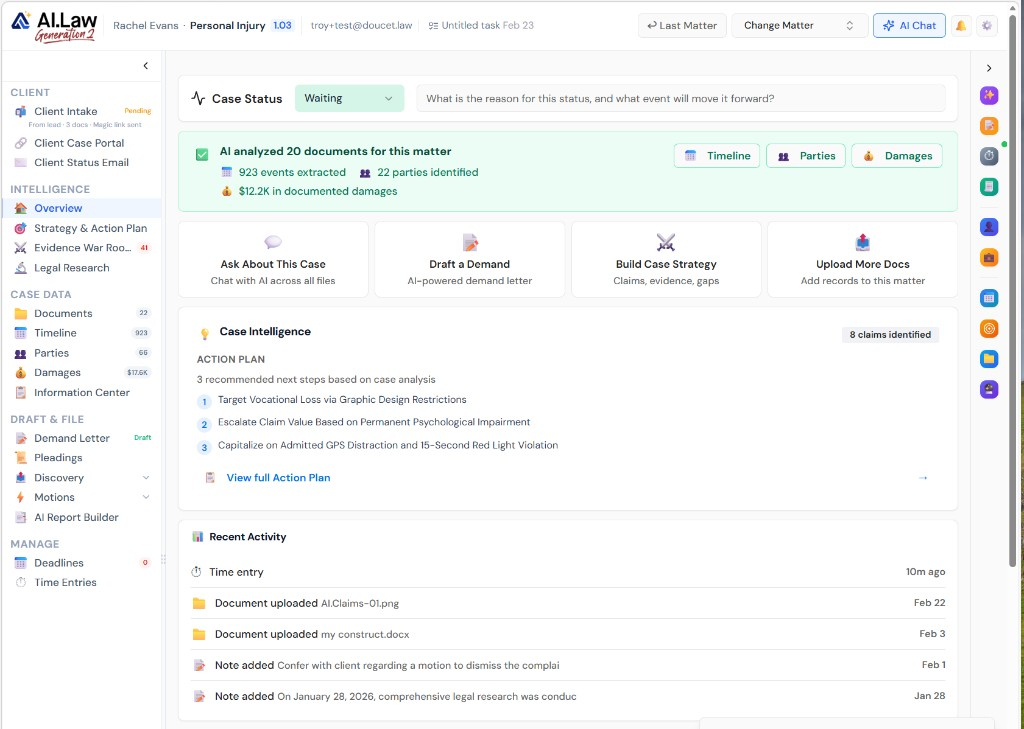
- Automatic classification at upload — no manual tagging or folder sorting required
- Dozens of document types recognized: medical, legal, financial, correspondence, and more
- Per-page classification handles mixed-content PDFs correctly
- Full document taxonomy with hierarchical categories and subtypes
- Hundreds of pages classified in minutes, not hours or days
- No training period — the AI recognizes document types out of the box
- Classification badges visible on every document in the documents view
- Filter documents by type — see only what you need for the current task
How It Works
Get started in minutes. No training required.
1. Upload documents to any matter
Upload files individually or in bulk. Any format — PDF, Word, images, scans.
2. AI reads every page
The document processing pipeline reads every page of every file, extracting text and structure.
3. Each document is classified
AI assigns a document type from the full taxonomy — medical records, pleadings, contracts, and dozens more.
4. Classifications appear in the documents view
Every document shows its classification badge. Filter and sort by type instantly.
5. Classifications power the entire platform
AI tools, search, and reports all use classification data to deliver better, more contextual results.
More Detail
AI that reads every page and knows what kind of document it is — without being told
In most case management systems, document organization depends on the person uploading the file. Rename it correctly, put it in the right folder, tag it properly — or it's lost in a pile of unsorted files. AI.Law eliminates this entirely. Every document is read at upload, and the AI classifies it into the correct document taxonomy automatically: medical records, billing records, pleadings, motions, discovery, correspondence, contracts, insurance documents, and dozens of specialized subtypes. Classification happens per-page, so a single PDF containing mixed document types is correctly split and classified.
- Automatic classification at upload — no manual tagging or folder sorting required
- Dozens of document types recognized: medical, legal, financial, correspondence, and more
- Per-page classification handles mixed-content PDFs correctly
- Full document taxonomy with hierarchical categories and subtypes
- Classification metadata powers search, filtering, and AI tool context across the platform
Faster
Upload 500 pages and have every document classified in minutes — not days
A paralegal manually classifying a 500-page production spends hours opening files, reading pages, and tagging each document. AI.Law processes the same production in minutes. Every page is read, every document is classified, and the results are available in the document view immediately. The paralegal reviews the AI's classifications instead of creating them from scratch.
- Hundreds of pages classified in minutes, not hours or days
- No training period — the AI recognizes document types out of the box
- Bulk uploads processed automatically — upload an entire production at once
- Re-classification available if the AI needs correction — one click to update
- Classification results available instantly in the documents tab
Easier
Stop asking "what is this document?" — every file is labeled automatically
Open any matter's document view and every file shows its classification badge. Filter by document type to see only medical records, only pleadings, or only correspondence. The classification system works across every matter consistently, so the same document type is always labeled the same way regardless of who uploaded it or what they named the file.
- Classification badges visible on every document in the documents view
- Filter documents by type — see only what you need for the current task
- Consistent classification across all matters and all team members
- Document type feeds into AI tools — the AI knows whether it's reading a deposition or a medical record
- Hierarchical taxonomy supports both broad categories and specific subtypes
More Money
Eliminate the paralegal hours spent sorting, tagging, and organizing uploaded files
Document classification is invisible overhead — it doesn't produce anything billable, but without it, everything else takes longer. AI.Law eliminates this cost entirely. Every document is classified at upload, which means AI tools always have the right context, search always works by document type, and your team never wastes time on manual taxonomy work.
- Zero manual classification labor — the AI handles it at upload speed
- AI tools produce better results because they know what type of document they're analyzing
- Search by document type finds what you need without scrolling through unsorted files
- Consistent classification enables firmwide analytics on document volumes and types
- New staff are productive immediately — no learning curve for your filing system
Why We're Better
See what changes when AI handles the work instead.
| Area | The Old Way | With AI.Law |
|---|---|---|
| Classification method | Manual — paralegal opens each file, reads it, and assigns a tag or folder | Automatic — AI reads every page and classifies at upload, no human input needed |
| Accuracy | Inconsistent — different people tag differently, some files never get tagged | Consistent AI classification across every document, every matter, every time |
| Speed | Hours per production — 500 pages takes a full day of manual classification | Minutes per production — 500 pages classified automatically at upload |
| Mixed documents | A single PDF with medical records and billing gets one tag — losing granularity | Per-page classification correctly identifies different document types within a single file |
| Platform integration | Tags exist in isolation — other tools don't know what type of document they're processing | Classification metadata flows to every AI tool, improving results across the platform |
Related tools for Document Classifications
Same matter file, same uploads — keep working in this litigation workflow cluster.
- Route classified documents to the correct matter folder — Automated File Routing
- Browse classified files with taxonomy filters — Document Management
- Run extraction on classified medical and billing records — Data Extraction
Browse all Admin tools on the features hub, or see all features.
Free practice management. Pay only for AI you use.
Run your firm on Free Forever at $0 — CRM, calendar, billing, and document management for everyone. Add paid AI seats only for the people who need them, all on one plan for your firm: Core, Litigator, or Advanced.
- 11 tools free forever — no credit card required
- One plan for your firm — every paid seat on the same plan
- Cancel any paid seat anytime — no lock-in
- Annual billing: 12 months for the price of 11 on paid seats
- Free Forever practice management stays at $0
SOC 2 Type II Certified · Patented Technology · No AI Training on Your Data · You Own Your Data
Explore More
AI-powered deposition preparation — anticipate opposing counsel’s questions before they are asked
AI.Law analyzes your case documents, the claims at issue, and the witness’s role in the case to generate comprehensive deposition preparation materials: anticipated question outlines organized by topic, suggested preparation points for each question area, potential impeachment traps based on the witness’s prior statements, and areas where the witness’s testimony is most critical to your theory of the case.
Get started with Document Classifications
Open a free practice management account, or build an AI plan when you’re ready.
No credit card required.
Need a firm or enterprise plan? Talk to our team